
Paste a job description and pull out the skills, tools and ATS keywords the employer actually screens for.
Resume tool
Resume Length Checker
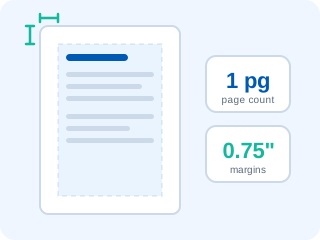
How long should a resume be? It depends on your experience, and on how well you use each page. Upload your CV and this checker measures the page count, margins, font size and how full the last page is, then compares the result with what recruiters expect at your level.
Paste text instead and you still get a word-based page estimate and a one-page vs two-page verdict.
- Free tool
- No signup
- Results in seconds
- Nothing leaves your device
- PDF, DOCX and TXT
Paste your text above, or upload a PDF, DOCX or TXT file (5 MB max). Files are parsed on your device.
Your experience level
Upload or paste your resume to check its page count, margins, font size and ideal length.
The one page vs two page resume rule
The rule recruiters actually apply is simple: one page until you have more evidence than fits on it. A first screen lasts six to eight seconds, so a single dense page beats two thin ones. Once you have five or more years of relevant, quantified results, cramming them onto one page starts to cost you more than a second page would.
The test for a second page is whether it is at least half full and whether the content on it would be missed. If the second page holds three lines and a list of hobbies, cut back to one. If it holds a role with real results, keep it. The checker flags a last page under a third full for exactly this reason.
Resume length by years of experience
- Students and 0-2 years: one page, 350-600 words. Projects, internships and coursework count as experience.
- 3-9 years: one page if it fits comfortably, two if the second page is well used. 500-800 words.
- 10+ years: two pages, 650-1,000 words, with the most recent roles taking most of the space.
- Executive, academic or federal: two to three pages, 800-1,300 words. These formats expect more detail.
Never pad to reach a target. If cutting weak lines takes you below the range, replace them with stronger ones: the bullet point generator turns a flat duty into a result, and the resume word counter tracks the exact word count as you edit.
Resume margins and font size
Before you add a page or cut content, check the layout. Margins and font size decide how many words fit on a page, and they are the cheapest place to win or lose space.
- Margins: 0.5" to 1" on every side. Going from 1" to 0.75" gains around 10% more room without looking cramped.
- Body text: 10 to 12pt. 10.5 or 11pt in a compact font such as Calibri or Arial is the usual sweet spot.
- Line spacing: 1.0 to 1.15, with a little more space before section headings than after.
- Paper size: US Letter for the US and Canada, A4 nearly everywhere else.
If your layout uses columns or tables to save space, the ATS resume viewer shows whether a parser can still read it in the right order. Starting over is often quicker: our ATS friendly resume templates come with 0.75" margins and an 11pt body already set.
Frequently asked questions
How many pages should a resume be?
One page for students, graduates and anyone with under five years of experience. One or two pages from roughly three to nine years, depending on how much measurable impact you have to show. Two pages from ten years onwards, and two to three for executive, academic or federal roles.
Is a 2 page resume ok?
Yes, as long as the second page earns its place. A two-page resume is normal once you have five or more years of relevant experience, provided the second page is at least half full and your most recent roles sit on page one. A two-pager padded with duties and old jobs loses to a dense one-pager every time.
What is the right resume length for 10 years of experience?
Two pages, or roughly 650 to 1,000 words. Your last three roles should take up about 70% of the space, and anything older than 12 to 15 years can be summarised in an 'Earlier career' block with one line per role.
What margins should a resume have?
Between 0.5 and 1 inch on every side. One inch is the classic default; dropping to 0.7 or 0.75 inch is a clean way to gain space. Going under 0.5 inch makes the page look crammed and risks text being cut off when it is printed.
What font size should a resume use?
10 to 12 points for body text, with headings one to four points larger. Below 10pt recruiters notice you have shrunk the text to fit; above 12pt the page reads as padded.
How does the checker measure margins in a PDF?
A PDF does not store a margin setting, so the tool measures the distance between the page edge and the outermost text on each side. The bottom margin is measured only on full pages, because the last page usually ends early. For DOCX files, the margins are read directly from the document's page setup.
Is my resume uploaded anywhere?
No. The file is opened and measured inside your browser tab. Nothing is sent to a server, logged or stored.
Right length? Now check it passes the ATS
Upload your CV for a free ATS compatibility score, a keyword gap report and a prioritised list of fixes. Under 30 seconds, no signup, nothing stored.
More free career tools
Upload your CV and see the plain text an applicant tracking system extracts, with the fields and sections it can find.
Rewrite a weak bullet point into three stronger versions and browse 60+ resume action verbs by category.
See all 13 on the free resume tools hub.